Pinterest Video Downloader: Save Pins in 3 Steps (Free)
A Pinterest video downloader is a simple web tool that turns a Pin's link into a file you can keep on your phone or computer. You paste the link, the tool finds the media attached to that Pin, and you save it as an MP4 video, an image, or a GIF. That's the whole idea, and it takes under a minute.
This guide covers how to use one properly, where to find the right link, what to do when a download fails, and how to save Pins without stepping on anyone's toes.
Table of Contents
- What a Pinterest video downloader actually does
- How to download a Pinterest video in 3 steps
- Where to find the Pin link
- MP4, image or GIF: what you can save
- Why a download can fail
- Everyday uses
- Saving Pins responsibly
- FAQ
What a Pinterest Video Downloader Actually Does
Pinterest is built for browsing, not for keeping. A Pin lives on Pinterest's servers, and the app lets you save it to a board. But a board isn't a file. If the creator deletes the Pin, makes their account private, or you're somewhere with no signal, your saved Pin may simply fail to load.
A downloader closes that gap. Give it the link of a public Pin and it looks up the video, image or animation attached to it, then hands you a file you actually own a copy of on your device.
There's nothing sneaky going on. It only works with Pins that anyone could open in a browser without logging in. If a Pin needs an account to view, a downloader can't reach it.
How to Download a Pinterest Video in 3 Steps
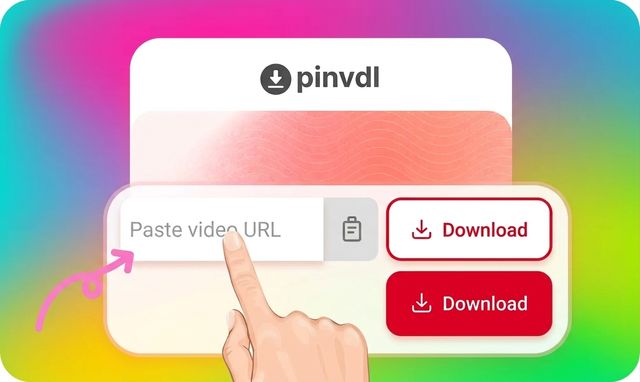
- Copy the Pin link. Open the Pin you want and copy its link. Both full pinterest.com links and short pin.it links work.
- Paste it into the box. Go to the Pinterest video downloader on this site, paste the link, and press the download button.
- Choose a format and save. The tool shows the files it found for that Pin. Pick the one you want and save it.
You don't need an account, an app, or a browser extension. It runs in whatever browser you already have open.
Where to Find the Pin Link
Most failed downloads come from pasting the wrong kind of link, so this part matters.
On a computer: open the Pin so it fills the page, then copy the address from the top of your browser. The link should point to one single Pin.
On a phone: open the Pin in the Pinterest app, tap Share, then choose Copy link. The app usually gives you a short pin.it link. That's fine. The downloader reads it just like a normal link.
One thing to avoid: links to boards or profiles. A board holds dozens of Pins, so the tool has no way to know which one you meant.
MP4, Image or GIF: What You Can Save
What you get depends on what the creator uploaded. A good Pinterest video downloader shows you what exists instead of promising things that aren't there.
- MP4 video: for video Pins. MP4 plays on almost every phone, laptop and TV without extra software.
- Images: for regular photo Pins, useful for reference shots, recipes and design inspiration.
- GIFs: for animated Pins. Handy for short loops you want to drop into a chat or a presentation.
Quality also depends on the original. If the creator uploaded a low-resolution clip, no downloader can make it sharper.
Why a Download Can Fail
If the tool comes back empty, the cause is almost always one of these:
- The Pin isn't public. Pins from private accounts or secret boards can't be reached without logging in.
- The Pin was deleted. Open the link in a new tab. If Pinterest says the Pin is gone, there's nothing to download.
- It's a board or profile link. Go back and copy the link of the individual Pin.
- The link got cut off. Some chat apps trim long URLs. Copy it again directly from Pinterest.
- The Pin has no downloadable file. Some Pins just link out to a website and carry no media of their own.
Still stuck? Try again in a few minutes, or check Pinterest's own Help Center to confirm the Pin is still live.
Everyday Uses for a Pinterest Video Downloader
Cooking offline. Kitchens are notorious for bad Wi-Fi. Save a recipe video first, and it plays fine even when the connection drops halfway through the sauce.
Mood boards and references. Designers, photographers and decorators often collect visuals from Pinterest. Having the files in one folder is faster than reopening twenty Pins.
Teaching and presentations. A short how-to clip, such as a knitting stitch or a science demo, is far more reliable in class when it's stored locally.
Backing up your own Pins. If you've uploaded videos to Pinterest yourself, a downloaded copy is a cheap safety net.
Saving Pins Responsibly
Every video and image on Pinterest was made by someone. Downloading a copy for your own reference is one thing. Re-uploading it as your own work is another.
- Use downloads for personal viewing, study and inspiration.
- Give credit to the creator if you share their work anywhere.
- Ask for permission before using anything commercially.
- Read Pinterest's Terms of Service so you know the platform's rules.
FAQ
Is this Pinterest video downloader free?
Yes. You can paste a link and download without paying or creating an account.
Do I need to install an app or extension?
No. It works in your browser on phones, tablets and computers.
Can I download from a pin.it short link?
Yes. Short pin.it links and full Pinterest links are both supported.
Can I download from private boards?
No. Only public Pins can be downloaded. Private content needs a login, which this tool doesn't ask for.
Where does the file go after I save it?
Usually into your device's Downloads folder or your phone's gallery, depending on your browser and settings.
Final Thoughts
Saving a Pin shouldn't need an account, an app or a stack of extensions. Copy the link, paste it, and pick your format. That's all a good Pinterest video downloader should ask of you.
Ready to try it? Head to the Pinterest video downloader homepage, paste your first link, and keep your favorite Pins offline.